
A color is enough
A mood tracker is a daily mark that means “this is roughly how the day felt.” Not a novel. Not a diagnosis. A mark. People begin this practice with good intention, then abandon it for the same reason they abandon diaries: the thing asked for a performance, and Tuesday had nothing to perform.
The advice that sounds simple is “just check in every day.” If you could just, you would have. The real job is making the check-in smaller than your resistance. Color a square. Optionally a sentence. Leave. That’s a mood tracker that still exists in March.
DayBloq is a journal. It is not therapy, not a medical device, not a clinician in your pocket. If you are in crisis, you want a human and a local emergency number, not a heatmap.
The blank page vs the square
A diary asks for language. Language is expensive. A Year in Pixels asks for a color. You can lie with both, but you can finish the second one while the kettle boils.
That’s why this sits inside a digital journal instead of a feelings operating system. The trick was already known: one log, collections, a key that doesn’t change because you felt clever on Sunday.
There is a part of us that wants three paragraphs about triggers and sleep and the week behind us. It means well. It will not show up at 11:47 p.m. The square wants a color. It will accept a note. It will not grade you for skipping Thursday.
If the tracker needs a pep talk to open, it is already too big.
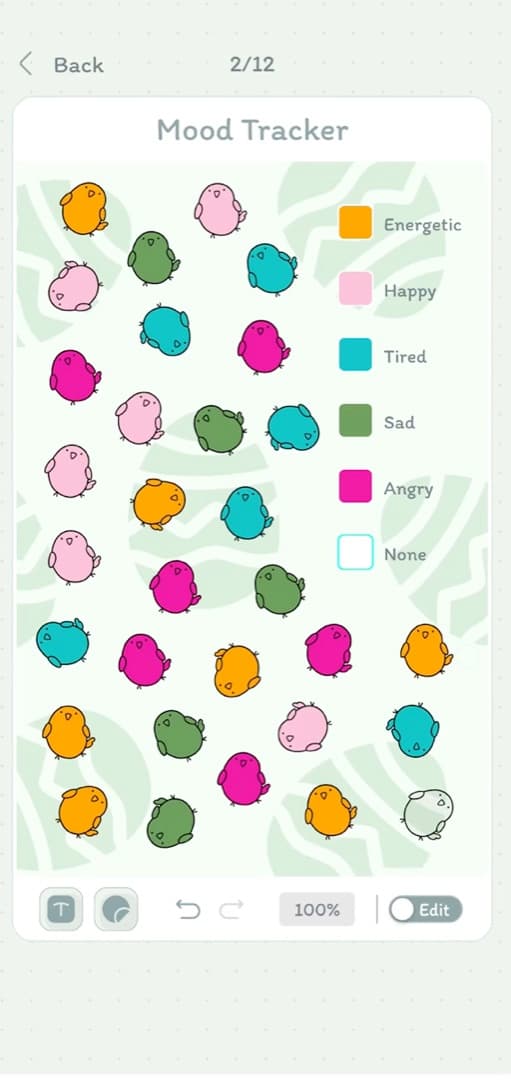
A key that survives to December
Five to seven colors. Fewer and every day looks the same. More and the check-in becomes a negotiation with a legend. Write the meanings once, then leave them alone — a key you revise in March describes two different years wearing one palette.
| Color | What it means | What it does not mean |
|---|---|---|
| Gold | A day you would repeat | A productive day |
| Green | Fine. Steady. Most of life. | Boring, or a failure to be gold |
| Blue | Quiet, tired, low volume | Sad |
| Purple | Low or foggy | A diagnosis |
| Coral | Hard | You failed |
The third column matters more than it looks. Most keys rot because a color quietly picks up a second meaning — green starts as “fine” and becomes “I got things done” — and then the picture is measuring two things at once.
What a month of this actually tells you
Less than the app-store screenshots promise, and more than you expect. After four weeks you get three readable things:
- Shape, not score. Weeks have a texture. Sunday evenings might be a different color than Sunday mornings. You knew this. Now it is on a wall.
- Outliers worth opening. One coral square in a green fortnight is the day to read the note for. That is the whole reason the note field exists.
- Where the gaps cluster. If you stop logging every time work gets heavy, the blank squares have already told you something the colored ones could not.
What it will not give you is causation. A tracker is a record, not an explanation. Anyone selling you correlation charts as insight is selling you a hypothesis with a nice axis.
Private, because mood logs are easy to donate by accident
A lot of mood apps are also cloud products. Sometimes that’s the point (sync, insights, a graph with a login). Sometimes it’s a default you didn’t notice. DayBloq stores the journal on the device. The site you’re reading can still have analytics and a contact form — that’s the site, not the diary. The dull page says so in longer words.
Local-first has a cost: lose the phone, lose the log, unless you backed it up yourself. We’d rather you own that risk than discover a dashboard of your year on someone else’s server.
Daylio is a different tool (and that’s fine)
Daylio is very good at fast emoji and activity tags, then showing you correlations. If that’s the job, use that. DayBloq is the spread you’d have drawn in a notebook. Here is the split, including the parts where we are the wrong answer.
| Daylio | DayBloq | |
|---|---|---|
| Core idea | Log a mood plus activity tags | Color a square on a year-long grid |
| Best at | Speed, stats, correlations between mood and activities | The year as one picture you can look at |
| Decoration | Not the point | Stickers, covers, fonts, templates |
| Multiple trackers | One log with tags | Separate journals per question |
| Charts and correlations | Yes, and they are the reason to pick it | No. If you want statistics, take Daylio. |
| Platforms | Android and iOS | Android today — iPhone not out yet |
Daylio is not the only other option, and neither is DayBloq. There is a fuller list of apps that draw a Year in Pixels grid, including the ones that only run on an iPhone.
Choose the tool that matches the Tuesday, not the name that shouted “mood tracker” louder. If the last two rows rule us out, they rule us out.
The note, and when to skip it
A color says how the day felt. It cannot say why, and after a month of pure color you will look at one coral square in October and have no idea what happened. That is what the note is for — and it is also where most people accidentally rebuild the blank page they were escaping.
The test is short: write a note only if a version of you six months from now would be confused without it. Most days fail that test, and that is correct. A normal week is four colors and no words.
When a day does pass the test, one line is enough. “Interview.” “Slept four hours.” “Fought with D, resolved.” You are leaving a bookmark, not an account. Anything longer is a different practice — a good one, but not this one, and it will not survive being required daily.
A color for every day. A sentence for the days that will otherwise become a mystery.
When a mood tracker is the wrong tool
Worth saying plainly, because this category is full of apps that imply otherwise. A colored square is not treatment. It does not detect anything. It has no opinion about you.
If tracking makes you watch yourself anxiously rather than notice yourself gently, stop tracking. Some people find a daily rating turns into a daily verdict, and for them the grid is a bad idea run well. That is a real outcome and not a failure of discipline.
If you are in crisis, you want a human and a local emergency number. Not a heatmap, not an app, not us.
How to begin
- Five to seven colors. Write what they mean. Stop. (If you would rather do this on paper, the printable sheet has a place to write them.)
- Open the journal. Pick today, not yesterday’s story.
- Tap. Note only if March-you will be confused.
- After a month, look at the heatmap before you add an eighth color. The grid will tell you the legend is too fussy.
Gray or empty is a day you didn’t log. That’s information. You do not need a complete record to benefit from the practice. Life happens, and the point of the journal is to be there along the way, gaps and all.
It runs as a digital journal for Android, on Google Play. Tracking is free and stays free. What the subscription adds: FAQ if you care.
What people ask about tracking a mood
What is a mood tracker journal?
A mood tracker journal is a daily mark that means “this is roughly how the day felt.” Not a novel. Not a diagnosis. A mark — often a color on a Year in Pixels grid, with a sentence only if the day needs one.
Is DayBloq a medical mood tracker?
No. DayBloq is a journal. It is not therapy, not a medical device, and not a clinician in your pocket. If you are in crisis, you want a human and a local emergency number, not a heatmap.
Is the DayBloq mood tracker private?
Journal entries are stored locally on your device. The website can still have analytics and a contact form — that is the site, not the diary.
How many moods should a mood tracker have?
Five to seven. Fewer and every day looks the same; more and you spend the check-in negotiating with a legend instead of logging a day. If a day needs more precision than the key allows, that is what the note is for.
What is the difference between DayBloq and Daylio?
Daylio is built around fast emoji, activity tags and correlation charts. DayBloq is built around the spread you would have drawn in a notebook: the year as a wall of color, stickers if you want them, and more than one journal if your life does not fit a single key. Different tools, different jobs.
What if I skip days on a mood tracker?
Gray or empty is a day you didn’t log. That’s information. You do not need a complete record to benefit from the practice. Begin again today.

If you want the longer argument for a digital journal in your pocket, that essay is next. So is the Year in Pixels grid as a picture instead of a score.