
The notebook wasn’t in the room
A digital journal is a journal that lives on a screen you already open: a small daily log, collections, a year of color you can still read in December. DayBloq is that journal on Android — Year in Pixels, notes, stickers — stored on the device.
I have meant to write things down more times than I have actually written them. The intention was honest. The book was in a bag, the bag was in another room, and Tuesday was here. If that is familiar, you are not failing at journaling. You are trying to keep a practice that depends on an object that is rarely where the day is.
Paper is a good tool. Many people think better with ink, and that is not a defect. This page is for the days when the tool you have is the phone in your pocket.
What we were actually trying to keep
The usual fix is a new notebook, a prettier cover, a file with tabs. Shopping feels like beginning. It is not the same as a mark on today.
Strip the pictures off and a dot journal — paper or digital — is four jobs. Not fifty. Four.
- A daily log so small you do not hold a meeting about whether to do it.
- Collections (mood, habits, gratitude, the quiet admin of being alive) as separate places, not one bloated shrine.
- A tracker you can read from the pillow. Colors. A year. Not a novel you owe your future self.
- A key that does not change every week, or December-you is looking at modern art.
That’s it. A notes app will hold a paragraph. A locked diary will hold a secret. Neither is a dot journal. The structure is the whole trick: one mark per day, collections you return to, a page that still means something in December.
Also: this is not therapy. If you need a clinician, that is a different Tuesday. Coloring a square is a record. DayBloq is a journal. That’s the ceiling, and it’s a fine ceiling.
Paper, a tablet file, a phone
Type digital journal into a search box and you will get a pile. Most of it is not what you asked for.
| Paper | Tablet PDF | A phone app (DayBloq) | |
|---|---|---|---|
| Needs | The book, in the room | A tablet, a file, a stylus | The phone already in your hand |
| Beginning | Draw the year. Bleed. Repeat in January. | Import a template. Hope the links work. | Open a Year in Pixels. The grid exists without a ruler. |
| Tuesday | Write, or skip the entire identity | Find the tablet | Tap a color. Note if you want. |
| Where it lives | One object you can lose to a chair | A folder you can lose to a cloud | On the device. Not a feed. |
Keep paper if the pen is the thinking. Keep the tablet if you already live there and decorating a file is the fun. Don’t confuse “I purchased a digital notebook” with “I have a log I open on a bus.” Different sports. We’ll talk about that sport later in this series.
Use an app when the collection that actually matters — the year of colors, the tracker, the quiet sticker — has to happen in the same pocket as your keys. That’s a digital journal as a practice, not as a stationery religion.
DayBloq is the third column because that’s the hole we kept watching: Android on Google Play, no stylus, no website you have to remember exists. You color a day. You can add a sticker or a sentence. You can keep more than one journal, like starting a new collection without buying a new book. The entries stay on the phone. This site is a site. It is not your diary. Privacy is dull and still worth a minute.

Templates, so January isn’t a construction project
The most common way a paper journal dies is the setup. Ruling a year grid takes an evening, and the evening has to happen before a single day gets logged. Miss that evening and the practice never starts — you have a blank notebook and a small debt. If you want to stay on paper, at least skip the ruling: a printed sheet arrives with the grid drawn.
A digital one moves the setup off your plate. You pick a spread that already exists and start on a Wednesday in March, which is when people actually decide to begin.
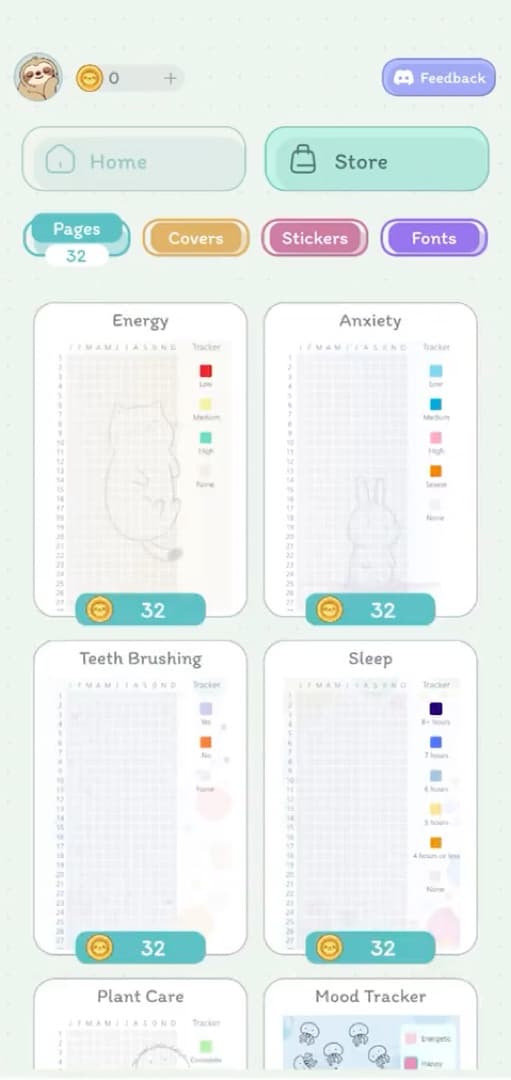
The catch worth naming: a template you did not draw is a template you did not think about. Paper makes you decide what you are tracking because you have to draw it. If you take a preset, spend the two minutes you saved deciding what the key means. Otherwise you are filling in someone else’s question.
Decorating, without it becoming the hobby
Stickers, covers and fonts are in here, and they are genuinely the fun part. They are also the most reliable way to spend three weeks not journaling. Both things are true.
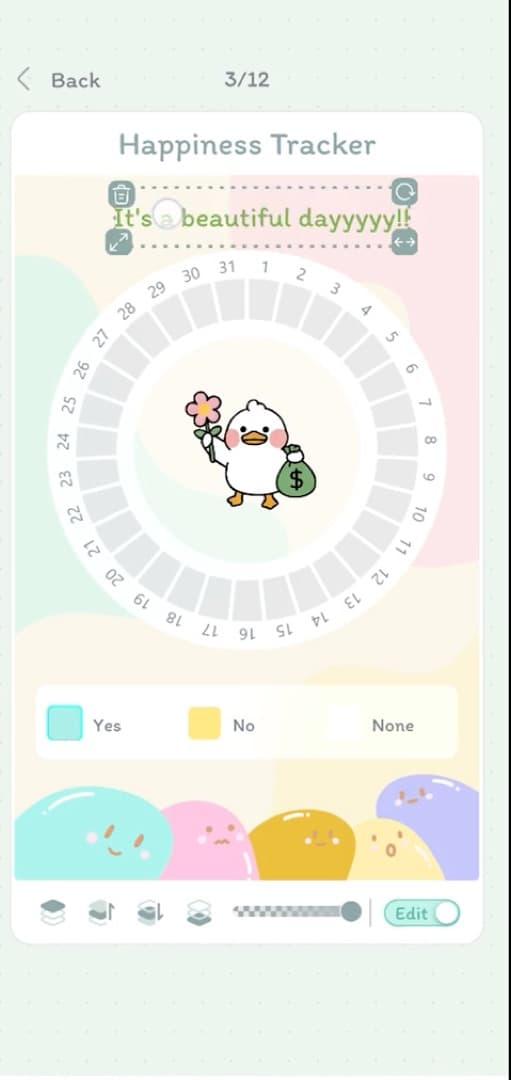
The rule that keeps it healthy: decorate after the square is filled, never instead of it. A plain colored day is a complete entry. A beautifully decorated spread with today still blank is a craft project wearing a journal’s clothes — pleasant, but it is not the thing you came for.
More than one journal
One of the quiet advantages of a screen: a second journal costs nothing. On paper, a new collection means a new book, or surrendering pages you might want later. That scarcity is why so many paper spreads end up asking four questions on one grid.
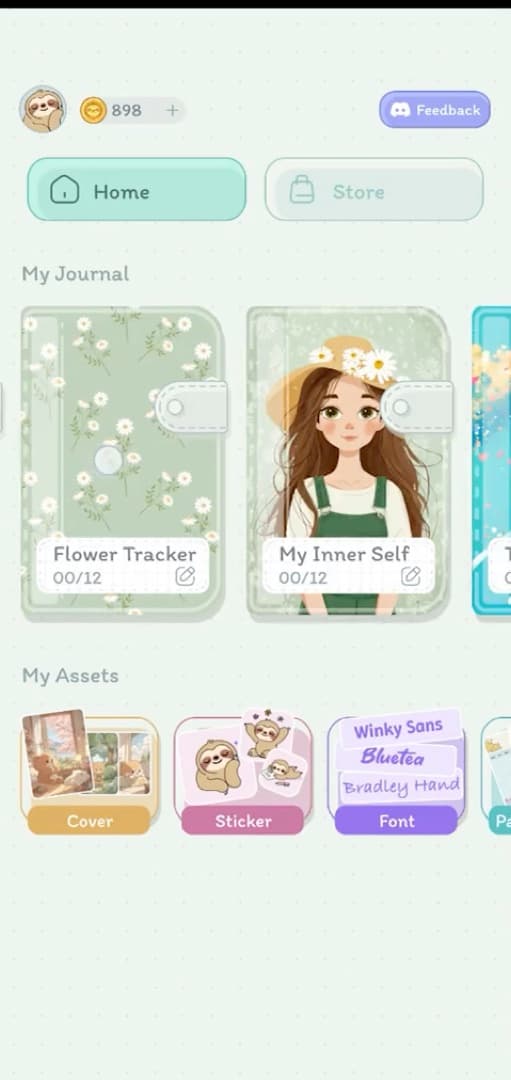
Use it for separation, not accumulation. Two or three journals you open is a system. Nine journals you started in a good mood is the same pile you had on paper, now backlit.
Why “just go digital” still fails
Going digital does not retire the urge to hunt a perfect system. You can waste a year picking icon packs. You can rebuild your key every Sunday. You can decorate until the only honest square is still empty.
The only version that works is the one you’re willing to do badly.
Five colors. Today’s pixel. Gaps when you skip — that’s information, not a character review. Apps that punish a miss put the closed notebook in your notification tray. The journal is a tool that serves you. You do not serve it.
If you have a paragraph, write it. If you don’t, don’t. Digital journaling dies when the screen asks you to perform wisdom you do not have at 11:47 p.m.
On DayBloq the spine is a Year in Pixels: one square a day, months across, the same grid paper people already understand. Month in Pixels if a year feels like a dare. Stickers and covers are optional. Tracking is free and stays free. What the subscription buys is in the FAQ if you care. If you don’t, skip it and stamp the day.
How to begin again
- Pick five colors. Write what they mean. Then stop adding colors.
- Color today. Not November, from memory. You will lie to yourself.
- Add a note only if March-you won’t remember why it’s red.
- Leave gaps. Look at them later without a speech about discipline. If you’ve missed a week, you are in very good company. Turn to today and begin again.
That’s a digital journal. The rest is the catalog trying to get its job back.
What people ask before they start
What is a digital journal?
A digital journal is a journal that lives on a screen you already open: a small daily log, collections, and a year of color you can still read in December. It is the same practice as paper, without requiring the notebook to be in the room.
Does DayBloq work that way?
Yes. DayBloq is a digital journal for Android. You color a day on a Year in Pixels grid, add a note or a sticker if you want, and keep more than one journal. Entries stay on the device.
Do I need a tablet to keep a digital journal?
No. A tablet PDF is one way to journal on a screen. A phone journal is another. DayBloq is the phone version: Android on Google Play, no stylus required.
Where is a DayBloq journal stored?
Journal entries are stored locally on your device. This website is a site, not your diary.
Next in this series: a digital journal for Android — the phone you already carry, not a tablet you have to find. Then what an online journal means when there is no notebook, ideas, templates that aren’t a file, why the iPad catalog is a different sport, and what’s free.